A memorable domain and an immutable website release solve different problems. The domain gives readers a stable name. A content identifier identifies one particular publication. Connecting the two is useful, but it also introduces an update process that deserves the same care as the website build itself.
This guide describes a DNSLink-oriented publishing workflow for a static site on IPFS. It separates domain registration, DNS records, gateway delivery, and retained content. The example is a public documentation site with a release manager and an editor. Treat the workflow as a proposed operating procedure: your registrar, DNS provider, and gateway may expose different controls, so verify their requirements before changing a live domain.
Identify the four moving parts
First, identify who controls the registered name and how that account is recovered. Then identify the authoritative DNS service, which may be operated by a different organization. Finally, identify the gateway that serves ordinary browser requests and the nodes responsible for retaining the website release.
Put those four roles in a release record. For each, include the administrative owner, the normal change procedure, and a recovery route that does not rely exclusively on the service being recovered. A domain account secured by an email inbox hosted only on the same domain deserves particular attention during recovery planning.
Do not confuse ownership of a name with possession of its website files. A team can retain all its content and still lose control of the familiar entry point. Conversely, it can retain its domain while losing access to the release that the name references. Recovery planning must account for both situations.
Understand what DNSLink changes
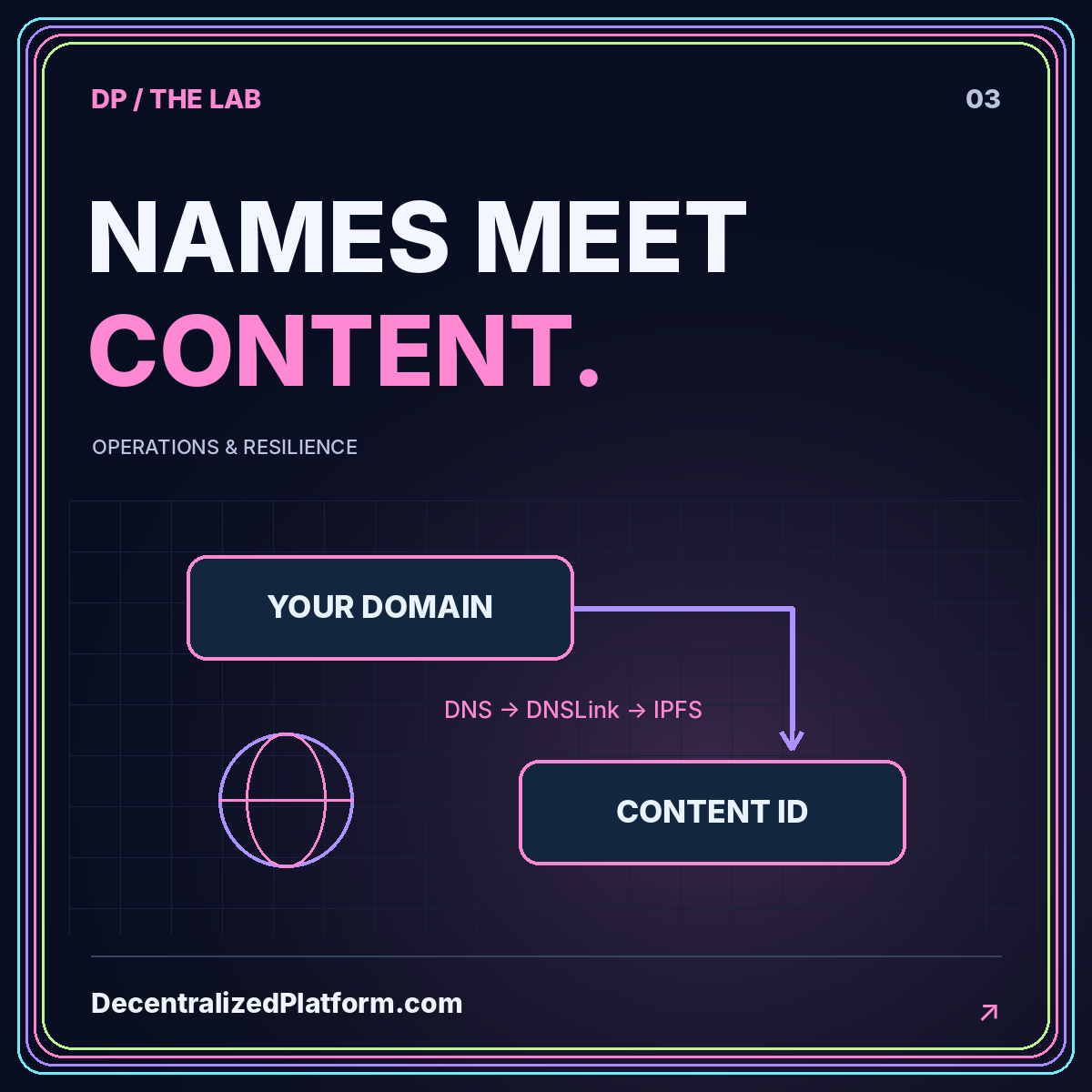
The official IPFS DNSLink documentation describes a DNS TXT record that maps a name to an IPFS or IPNS path. The lookup uses a hostname prefixed with _dnslink, and the record value begins with dnslink=. This provides a changeable naming layer above an identifiable content release.
That record does not, by itself, configure every part of browser delivery. A browser-facing custom domain also needs an appropriate gateway arrangement and HTTPS configuration. Work from the requirements of your selected delivery system rather than assuming that the TXT record replaces all other DNS records.
Distinguish the pointer from the payload
Think of the DNSLink value as the publication pointer and the IPFS directory as the payload. Updating the pointer does not edit the old payload. That separation makes releases easier to identify, but a rollback still depends on the older payload remaining retrievable.
Prepare the new release before touching DNS
Build and review the static site, publish the complete directory, and record its root identifier. Confirm that the release has been retained through the arrangements you intend to use. Then test the actual pages and assets through a suitable gateway, including a deep route opened directly.
Assign a recognizable release label in your internal notes, such as a repository revision or an editorial release number. Do not rely solely on a screenshot of a dashboard. The record should connect the human-readable label, the content identifier, the source revision, and the intended domain.
Have a second person compare the recorded identifier with the tested release. This review is especially useful when a deployment produces many identifiers, including individual assets. A transcription error or a reference to the wrong directory can make an otherwise correct DNS change publish the wrong entry point.
Make a controlled DNS change
Use a staging subdomain first when your environment allows it. Create or update the DNSLink record for that hostname according to the DNS service's naming convention. Some interfaces expect the complete record name; others automatically append the zone. Check the resulting record rather than trusting the text entered into a form.
Keep the previous value in your release record before replacing it. Limit automation credentials to the records they actually need to change where the provider supports that scope. The system publishing a website should not automatically receive unrestricted authority over mail routing and every other record in the zone.
Review concurrent changes
Avoid combining a content release, nameserver migration, registrar transfer, and gateway migration into one untested event. Separating them makes failures easier to attribute. When a combined change is unavoidable, write down the sequence and an independent rollback decision for each stage.
Verify DNS resolution and web delivery independently
After the change, inspect the published TXT answer through the tools available in your environment. Compare its value with the release record. Also check the authoritative configuration, because a cached answer from a resolver may not immediately reflect the change you just made.
Next, load the website using the public hostname over HTTPS. Check the certificate, a deep page, an image, and the visible content version. A correct TXT answer and a failed browser request indicate a different troubleshooting path from a wrong TXT answer. Keep those observations separate in the incident notes.
Repeat the browser test from another network or testing location when practical. Record the behavior you observe and the time of each check. Do not promise that a TTL value is a guaranteed worldwide switch-over deadline; your complete delivery path may contain additional caches and operational dependencies.
Design the canonical URL policy
A public website can be reachable through several gateways while having one preferred canonical address. Decide which hostname represents the publication and use it consistently in page metadata, the sitemap, RSS entries, and social previews. Check that the selected host actually serves every indexed route.
For mirrors, distinguish a reader-access route from a separate publication. Duplicating a site at multiple hostnames without a coherent URL policy can make maintenance confusing even before search engines become involved. The internal benefit of one documented policy is that editors know which links to share.
A custom domain also changes how you test root-relative asset paths. A path that begins at the hostname root may be appropriate there but behave differently under a gateway content prefix. The IPFS deployment walkthrough explains that packaging distinction before you publish.
Rehearse a rollback with retained content
Choose an earlier, known-good release in a staging environment. Restore its pointer using the same process that would be used during an incident. Confirm that the old directory is still retained, the domain resolves to the expected record, and the gateway can deliver the previous pages.
Define who decides to roll back and how readers will be informed when the problem affects a public release. The person authorized to change DNS might not be the person who can judge whether an editorial or application error is severe enough to reverse. Resolve that authority question before the incident.
A rollback record should include the failed release, the restored release, the reason for the decision, and the tests performed afterward. Keep both payloads available during investigation unless there is a specific reason not to distribute the failed one. Avoid removing evidence before the team understands what happened.
Common mistakes to prevent
The first mistake is publishing the pointer before verifying retention. The second is treating one successful browser load as proof that DNS, gateway delivery, and every nested route work. A third is storing the only rollback record inside the same dashboard account that might become inaccessible.
Another mistake is allowing an editorial integration to modify more of the DNS zone than it needs. Review credentials, not just interface permissions. Finally, avoid assuming that a blockchain name, a conventional DNS name, and a gateway hostname offer identical browser behavior or recovery processes. Evaluate each naming choice against the users you actually serve.
Conclusion: operate the name as a release system
A DNSLink workflow is most useful when the domain pointer, the retained release, and the browser delivery path are all observable. Prepare content first, change one thing at a time, verify DNS and HTTPS separately, and keep a tested route back to the previous publication.
Use the DNS architecture guide for the naming layer and the domain ownership guide for administrative boundaries. Together they turn a familiar domain into a manageable entry point without pretending that the name itself eliminates every centralized dependency.