Publishing a static website to IPFS is a distribution task, not a conversion of your site into a blockchain application. The useful starting point is an ordinary folder containing HTML, CSS, JavaScript, and images. Your job is to make that folder complete, publish it as a versioned release, retain its content, and provide a reliable way for readers to find it.
This walkthrough focuses on a small documentation or editorial website. It does not require a wallet, a token, or a smart contract. The suggested workflow deliberately separates building, publishing, retention, and domain updates so that a problem in one stage is easier to diagnose. Test with non-sensitive public content before moving an important publication.
Prepare a portable site folder
Export the production version of your website rather than uploading the development project. The output should contain the files a visitor needs, not package caches, private environment files, source credentials, or an administrative application. Inspect hidden files as well as the obvious directories before sharing the folder.
Create a directory containing an index document for each clean route. A page addressed as /about/ should have its document inside an about directory. This structure avoids depending on an application server to interpret routes. Make sure the root also contains an index document and that every asset reference resolves in your preview.
Choose a gateway-compatible URL strategy
A site at a dedicated hostname and a site beneath a gateway's content path do not have the same URL root. A root-relative image reference may work on the dedicated hostname while escaping the content path on a path gateway. Decide which delivery mode you support and test it explicitly.
For a site designed with root-relative URLs, use a compatible subdomain gateway or a correctly configured custom-domain gateway. To support arbitrary path gateways as well, create a separate release using suitable relative URLs or a deliberate base-path configuration. Do not assume a successful homepage means every nested route behaves correctly.
Review the public release before importing it
Open the exported folder through a local static server and visit several deep links directly. Test a blog article, its category, an image, and the sitemap. Reload those pages instead of reaching everything only through the homepage. This catches routing assumptions that ordinary clicking can miss.
Treat all uploaded files as public material. Remove unpublished drafts, access tokens, personal information, and files included only for internal convenience. Obscure filenames are not an access-control mechanism. Review browser-visible JavaScript for secrets that may have been inserted during the build process.
Keep a short release manifest outside the published folder. Record the source revision, build tool versions, expected page count, and the result of the link check. That manifest gives you something to compare when a later build produces different output. It also makes a handoff to another maintainer less dependent on memory.
Import the complete directory
Use an IPFS client to add the production directory as one release. With Kubo installed and configured, a typical directory import uses the command below. Run it from a directory where public is the folder you have already inspected; do not substitute your entire home or project directory.
ipfs add -r --cid-version=1 public
Record the identifier for the directory itself, not just the identifier for one file printed during import. That root content identifier is the entry point for the release. Keep the exact import settings with the manifest so later maintainers can reproduce the intended packaging process.
IPFS content addressing identifies content, while ongoing availability depends on someone retaining and serving it. The official IPFS explanation of persistence and pinning distinguishes a local pin from an assurance that content will remain available elsewhere. Pinning protects retained content from that node's garbage collection; it is not a universal permanence guarantee.
Verify the release from another route
Load the new release through the delivery path your audience will use. Inspect the browser's network requests for missing stylesheets, images, or scripts. Test nested routes with their trailing slash and confirm that directory index documents are served correctly.
Then test through a route that does not simply depend on your open local client. For a resilience-focused publication, propose a second independently operated retrieval path and document what it shares with the first. Two hostnames managed by the same account are not necessarily independent operational alternatives.
Check bytes and behavior separately
A successful retrieval of the correct root identifier addresses one question: are you requesting the intended release? A working page addresses another: was that release built correctly? A perfectly retrievable directory can still contain a broken navigation link or a script that depends on an unavailable external API. Keep both checks in the acceptance record.
Make retention an explicit responsibility
Decide who will retain the release after your development machine goes offline. A practical plan might combine a node controlled by your team with an additional pinning arrangement. Describe this as a chosen retention design and test it; do not treat the number of services in a dashboard as proof of durable availability.
Keep previous releases pinned until your rollback window has ended and you have checked that no essential references depend on them. Write down which identifiers may be removed, who can approve removal, and how archived material is distinguished from the live publication.
Budget for retained versions, transfer, monitoring, and staff time. Avoid comparing services solely by an advertised free allowance. A documentation site with many images can accumulate substantial history even when each new article is small. Estimate growth from the assets you actually publish, including generated previews and downloadable files.
Publish a stable entry point
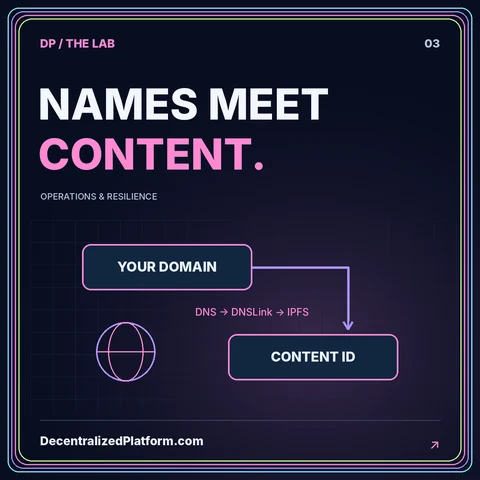
A content identifier is useful for an exact release, but a publication usually needs a name that can point to its next version. A domain-based approach can keep a familiar address while moving the referenced release. Separate control of that name from the content-retention accounts where practical.
The DNSLink and custom-domain guide explains the naming step. Complete retention and retrieval tests before changing the public pointer. Reversing that order can send readers toward content that the delivery system is not yet ready to serve.
Maintain one preferred public URL for search metadata. Test canonical links and social-image addresses at the chosen hostname. A mirror should not silently produce a different canonical destination simply because it was reached through a gateway. Your URL policy belongs in the release checklist alongside the content identifier.
Plan the next release and a rollback
For the next publication, create and verify a new exported folder rather than modifying the record of the previous release. Retain its new identifier, test it, and only then update the name pointing to it. This gives you a sequence of identifiable releases rather than an undocumented succession of dashboard changes.
Rehearse a rollback before relying on it. Restore the previous pointer in a staging domain, check the visible version through independent resolvers or delivery routes, and confirm that old assets remain available. Record delays and caching behavior observed in your actual setup instead of promising immediate global changes.
Use the static CMS publishing guide to keep editorial work separate from deployment authority. Editors can review content without receiving the credentials that change the public domain or remove retained releases.
Conclusion: publish a release, not just a file
A dependable IPFS publishing process has four separate outcomes: a complete static build, an identifiable release, an explicit retention arrangement, and a tested public entry point. None substitutes for the others. Make each one visible in a small release record that another maintainer can understand.
Start with a non-critical publication, verify deep links and assets, and practice restoring an earlier release. That experience will reveal whether IPFS distribution fits your operating requirements better than a conventional host, or whether a hybrid approach is the more manageable choice. For the wider decision, return to the web hosting comparison guide.